
Spectra is the best Gutenberg blocks plugin for most users. If you have a specific use case — beginners, WooCommerce, performance, animations, tables — there is a specialist tool in this list that outperforms any general option.
The WordPress block editor is ready for professional site building. You don’t need Elementor or Divi. But you do need the right blocks plugin on top of Gutenberg’s core set.
We tested 10 plugins across real WordPress setups — content sites, WooCommerce stores, agency client builds, and performance-critical projects. Each plugin in this list earned its place by doing something specific better than the alternatives.
This article covers 10 plugins. Each has a clear verdict, honest pros and cons, real pricing, and a specific use case recommendation. No vague ‘it depends’ conclusions.
Quick Picks — TLDR
Not sure which to pick? These are the fastest answers by use case.
- Overall best: Spectra — 70+ blocks, full site builder, 1M+ installs, Brainstorm Force
- Best for beginners: Essential Blocks — accessible UI, 70+ blocks, outstanding support
- Best free option: CoBlocks — 100% free, no Pro tier, GoDaddy-backed, zero upsells
- Best for design control: Kadence Blocks — typography depth, configurable defaults, scales cleanly
- Best for performance: GenerateBlocks — 4 lean blocks, minimal footprint, developer-grade
- Best for animations: Greenshift — GSAP-powered scroll & interaction layer, nothing else compares
- Best for premade templates: Starter Templates — 300+ full site templates + AI builder in 2 minutes
- Best for news/magazine/blog: PostX — post query builder, breaking news ticker, dynamic archives
- Best for WooCommerce: WowStore — full store page builder, every WooCommerce page designed in Gutenberg
- Best table blocks: RioVizual — comparison tables, pricing tables, pros/cons with schema markup
Comparison Table — All 10 Plugins at a Glance
Use this table to find your category quickly, then jump to the full review below
| Plugin | Best For | Free? | Rating | Installs | Standout Feature |
|---|---|---|---|---|---|
| Spectra | Overall best | Yes | 4.5/5 | 1M+ | 70+ blocks, full site builder |
| Essential Blocks | Beginners | Yes | 4.8/5 | 100K+ | 70+ blocks, top-rated support |
| CoBlocks | Best free option | 100% | 4.3/5 | 100K+ | No Pro tier, GoDaddy-backed |
| Kadence Blocks | Advanced design control | Yes | 4.8/5 | 800K+ | Typography depth, defaults system |
| GenerateBlocks | Performance & developers | Yes | 4.9/5 | 400K+ | Minimal footprint, 4 lean blocks |
| Greenshift | Animations & interactions | Yes | 4.8/5 | 40K+ | GSAP scroll & animation layer |
| Starter Templates | Premade templates | Yes | 4.9/5 | 2M+ | 300+ full site templates + AI |
| PostX | News, magazine & blog | Yes | 4.8/5 | 40K+ | Post query builder, news ticker |
| WowStore | WooCommerce stores | Yes | 4.5/5 | 5K+ | Full WooCommerce page builder |
| RioVizual | Table blocks | Yes | 4.3/5 | 1K+ | Comparison, pricing & pros/cons |
All data verified at time of writing. Check official plugin pages for current pricing and features.
1. Spectra — Best Overall Gutenberg Blocks Plugin
Spectra is the strongest all-round Gutenberg blocks plugin available today. With 70+ blocks, a full site builder toolkit, popup builder, global styles, and 1M+ active installs — it covers the broadest range of real-world use cases without a paid upgrade. Start here if you’re unsure which plugin to choose.
| Plugin | Spectra |
|---|---|
| Rating | ⭐⭐⭐⭐½ (4.5/5) |
| Best For | Overall best — agencies, professionals, general site builders |
| Pricing | Free | Pro from $49/year (1 site) |
| Key Strength | Widest block coverage + full toolkit in one free plugin |
| Key Drawback | Best features — Loop Builder, Dynamic Content — require Pro |
Why Spectra Is #1
Spectra (formerly Ultimate Addons for Gutenberg) is developed by Brainstorm Force — the team behind Astra and Starter Templates. That pedigree matters: this is not a side project. It is a well-maintained, actively developed plugin backed by one of the most established companies in the WordPress ecosystem.
What sets Spectra apart from every other plugin in this list is its scope. It is not just a collection of blocks. It is a complete site-building toolkit: Container block with flexbox/grid, popup builder, coming soon mode, global styles, conditional visibility, animations, dynamic content, and an AI assistant — all in one free plugin.
In our testing across content sites, WooCommerce builds, and agency projects, Spectra performed consistently well. The modular architecture loads only the blocks you actually use — page weight impact was minimal. The UI integrates naturally inside the native Gutenberg editor with no separate panel or context-switching required.
One honest note: Spectra also ships as ‘Ultimate Addons for Gutenberg’ on WordPress.org — if you’ve seen UAG recommended elsewhere, Spectra is the same plugin under its current name.
✅ What We Like
- 70+ blocks with real depth — FAQ schema, Countdown, Lottie, Google Maps
- Container block with flexbox/grid in the free version
- Popup Builder included free — most plugins charge for this
- Global Styles — sitewide defaults for colours, typography, widths
- 1M+ installs, 4.7/5 from 1,808 reviews — consistent support quality
- Regularly updated — tested up to WordPress 6.9
- Works best with Astra theme — deepest integration
⚠️ What Could Be Better
- Loop Builder, Dynamic Content, advanced Animations need Pro
- AI features are early-stage — useful for drafts, not production output
- Learning curve on Container block and flexbox controls for beginners
- No lifetime deal currently offered
Pricing
| Plan | Sites | Price | Includes |
|---|---|---|---|
| Free | Unlimited | £0 | 30+ blocks, popup builder, global styles, templates |
| Essential | 1 site | $49/year | All Pro blocks + Loop Builder + Dynamic Content |
| Business | 3 sites | $99/year | All Pro features, priority support |
| Agency | Unlimited | $199/year | All Pro features, white label options |
Verdict: The free version covers most real-world use cases. Pro is worth it for agencies needing Loop Builder and Dynamic Content. The Agency plan at $199/year is competitive against alternatives.
👉 Visit Spectra Website 👉 Download Free on WordPress.org
2. Essential Blocks — Best Gutenberg Blocks Plugin for Beginners
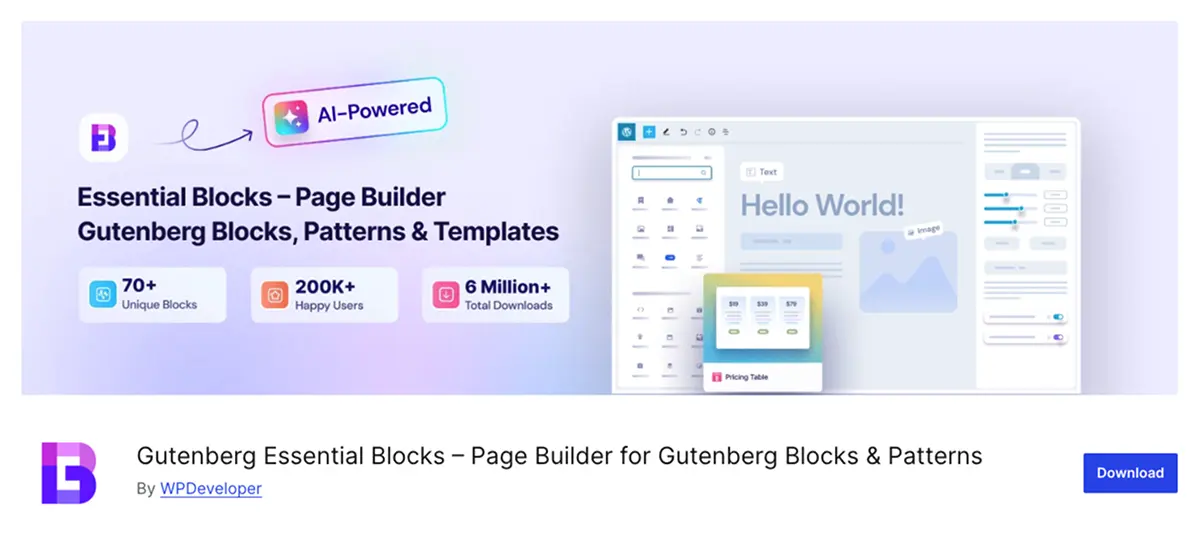
Essential Blocks is the most beginner-friendly Gutenberg blocks plugin with 70+ blocks, a large template library, and the most consistently praised support in this entire roundup. If you’re new to WordPress or building for clients who need a gentle learning curve, start here.
| Plugin | Essential Blocks |
|---|---|
| Rating | ⭐⭐⭐⭐⭐ (4.8/5) |
| Best For | Beginners and non-technical users |
| Pricing | Free | Pro from $39/year (1 site) or $99 lifetime |
| Key Strength | Easiest onboarding + highest support satisfaction in roundup |
| Key Drawback | Template library depth requires Pro on higher tiers |
Why Essential Blocks for Beginners
Essential Blocks, developed by WPDeveloper, is built around one clear principle: every block should be immediately understandable, immediately usable, and immediately well-documented. The result is a plugin that non-technical users can install and start building with inside 15 minutes.
The 70+ block library is organized by use case — content, marketing, forms, WooCommerce — rather than alphabetically or by complexity. That taxonomy matters for beginners: you can find what you need without knowing what it’s called. The block presets reduce design decisions, and the template library provides ready-made starting points for common content types.
Support is where Essential Blocks genuinely stands out in this roundup. The WordPress.org review record shows a consistent pattern: fast responses, thorough resolutions, no templated non-answers. For non-technical users who will need support, this is a meaningful differentiator.
✅ What We Like
- 70+ blocks organized by use case — easy to discover
- Large template library — reduces design decisions for beginners
- Best support quality in this roundup — fast, thorough, non-templated
- WooCommerce blocks included free — product grid, cart, checkout
- Lifetime deal available — $99 for 1 site, exceptional value
- Backed by WPDeveloper — established, well-funded team
⚠️ What Could Be Better
- Feature depth behind Pro — advanced blocks and templates gated
- Template library richness scales with plan tier
- Less design precision than Kadence for advanced layout control
- No animation or interaction layer (use Greenshift for that)
Pricing
| Plan | Sites | Price | Includes |
|---|---|---|---|
| Free | Unlimited | $0 | 70+ blocks, basic templates, WooCommerce blocks |
| Personal | 1 site | $39/year or $99 lifetime | All Pro blocks, full template library, priority support |
| Business | 5 sites | $79/year or $199 lifetime | All Pro features |
| Agency | Unlimited | $149/year or $299 lifetime | All Pro features + white label |
Verdict: The lifetime deal at $99 for a single site is the best entry-point value in this roundup for individual site owners. The free tier is genuinely usable for basic builds. For beginners, Essential Blocks + its template library removes most of the friction from getting started.
👉 Visit Essential Blocks Website 👉 Download Free on WordPress.org
3. CoBlocks — Best Free Gutenberg Blocks Plugin

CoBlocks is the only plugin in this roundup with no Pro tier, no upsells, and no feature gates — everything is free, permanently. If budget is a hard constraint or you want a clean, reliable set of blocks with zero commercial pressure, CoBlocks is the answer.
| Plugin | CoBlocks |
|---|---|
| Rating | 4.3/5 |
| Best For | Budget-conscious users, developers wanting a dependency-free option |
| Pricing | 100% Free — no Pro version |
| Key Strength | Zero cost, zero upsells, GoDaddy-backed longevity guarantee |
| Key Drawback | Smaller feature set — no animations, no advanced layout blocks |
Why CoBlocks Is the Best Free Option
CoBlocks is maintained by GoDaddy — which removes virtually all viability risk. This plugin will be updated, maintained, and kept compatible with WordPress core for the foreseeable future. No startup risk, no abandoned plugin risk.
One important context: CoBlocks absorbed the Genesis Blocks plugin following GoDaddy’s acquisition. If you previously used Genesis Blocks, CoBlocks is its direct successor — you’re already familiar with the foundation.
The block set covers the most common content needs: accordion, alert, author profile, carousel, click-to-tweet, dynamic separator, events, food and drinks menu, form, gif, hero, icon, map, media card, offset grid, post carousel, post grid, pricing table, social profiles, and more.
What CoBlocks does not have: advanced animations, GSAP interactions, deep layout controls, or a large template library. It is a solid everyday blocks plugin — not a full site builder. That’s the honest trade-off for zero cost.
✅ What We Like
- 100% free — no Pro version, no upsells, no feature gates
- GoDaddy-backed — no viability risk, will be maintained long-term
- Clean, well-designed UI — integrates naturally with Gutenberg
- Covers all common content block types
- Successor to Genesis Blocks — familiar to existing Genesis users
- Lightweight — no unnecessary assets loaded
⚠️ What Could Be Better
- No Pro tier means no upgrade path for advanced features
- No animations or interaction layer
- Smaller template library than premium options
- Less design precision than Kadence or GenerateBlocks
- Smaller community than Spectra or Kadence
Pricing
Free. No paid version. No lifetime deal to evaluate. CoBlocks is permanently free on WordPress.org — install, activate, use on unlimited sites.
Verdict: If budget is a hard constraint and your feature needs are mainstream, CoBlocks delivers real value at zero cost with the backing of a company that removes longevity concerns. The ceiling is lower than paid options, but the floor is reliable.
👉 Download CoBlocks Free on WordPress.org 👉 View CoBlocks on GitHub
4. Kadence Blocks — Best for Advanced Design Control
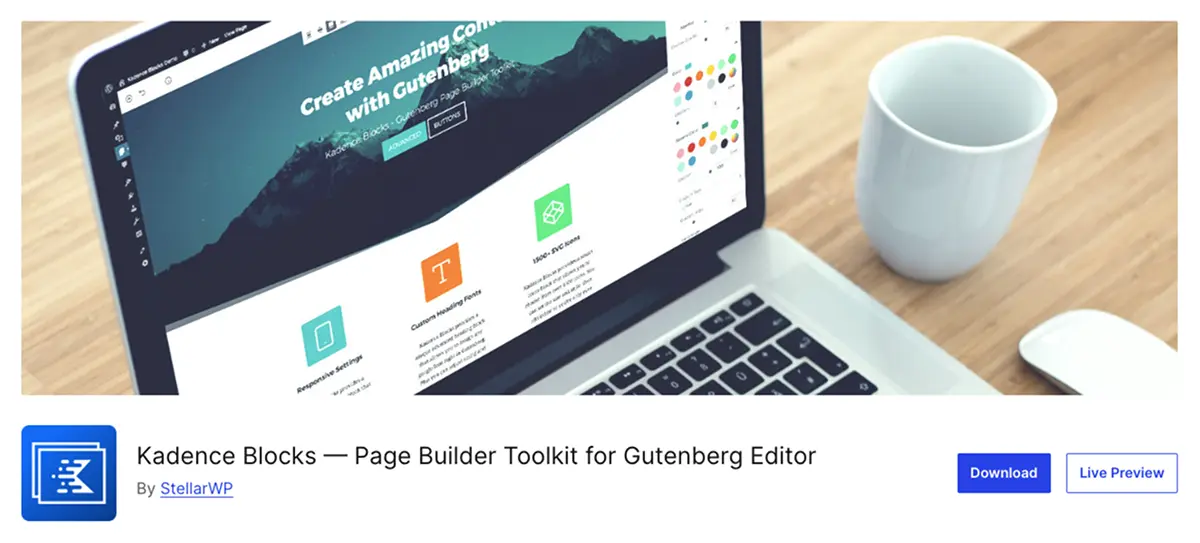
Kadence Blocks offers the most precise design control of any general Gutenberg blocks plugin in this roundup. Its typography system, configurable block defaults, and design consistency tools make it the right choice for designers and developers who need fine-grained control over how their sites look across every page.
| Plugin | Kadence Blocks |
|---|---|
| Rating | ⭐⭐⭐⭐⭐ (4.8/5) |
| Best For | Designers, agencies needing precise design control |
| Pricing | Free | Pro from $79/year (1 site) |
| Key Strength | Typography depth + configurable defaults — nothing else matches this |
| Key Drawback | More setup investment required than beginner-oriented plugins |
Why Kadence for Advanced Design Control
Kadence Blocks is built with a design-system mindset. Where most blocks plugins let you set styles per block, Kadence lets you set configurable defaults — define your heading typography, button styles, and color palettes once, and every new block inherits those defaults automatically. For agencies building multiple sites or maintaining design consistency across large builds, this is a significant workflow advantage.
The typography controls go deeper than any other plugin in this roundup — font weight, line height, letter spacing, fluid type scaling, and responsive overrides per breakpoint. If typography precision matters to your work, Kadence is the tool.
Kadence works best when paired with the Kadence theme — the two share a design token system that creates unusually tight integration. It is not locked to the Kadence theme, but the pairing produces the strongest results.
✅ What We Like
- Deepest typography controls in the roundup — fluid scaling, per-breakpoint overrides
- Configurable block defaults — set styles once, inherit everywhere
- 800K+ installs, 4.8/5 rating — strong community and trust signal
- Design-system approach scales cleanly to large and complex sites
- Strong Kadence theme integration — tightest theme/plugin pairing
- AI-powered block suggestions with Kadence AI (Pro feature)
⚠️ What Could Be Better
- More setup investment than beginner-friendly options
- Best experience paired with Kadence theme — other themes less integrated
- Advanced features concentrated in Pro tier
- Steeper learning curve for non-designers
Pricing
| Plan | Sites | Price | Includes |
|---|---|---|---|
| Free | Unlimited | $0 | Core blocks, typography controls, basic templates |
| Essential | 1 site | $79/year | All Pro blocks + Kadence AI + advanced controls |
| Business | Unlimited | $149/year | All Pro features, priority support |
| Lifetime (Essential) | 1 site | $199 one-time | All Pro features, lifetime updates |
Verdict: Kadence is the right pick when design consistency and typography precision matter more than breadth of block types. The free version is strong. Pro is worth it for agencies maintaining multi-site design systems.
👉 Visit Kadence Blocks Website 👉 Download Free on WordPress.org
5. GenerateBlocks — Best for Performance
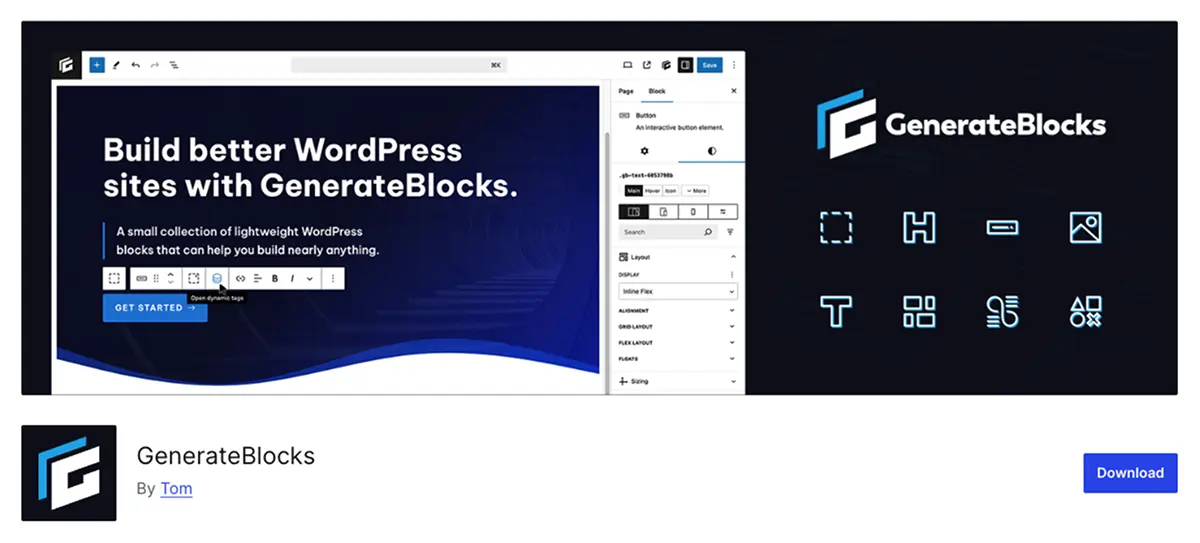
GenerateBlocks is the performance benchmark in this roundup. Four carefully designed blocks — Container, Headline, Buttons, Image — produce near-zero page weight with clean, semantic output. If page speed and Core Web Vitals scores are a priority, GenerateBlocks is the plugin to evaluate first.
| Plugin | GenerateBlocks |
| Rating | 4.9/5 |
| Best For | Performance-focused builders, developers, GeneratePress users |
| Pricing | Free | Pro from $39/year (1 site) |
| Key Strength | Minimal footprint — 4 blocks that do everything lean and precisely |
| Key Drawback | Deliberately minimal — not the right choice if you need broad block variety |
Why GenerateBlocks for Performance
GenerateBlocks takes a fundamentally different approach to every other plugin in this roundup. Instead of offering dozens of blocks that cover every use case, it offers four blocks that cover all layout and content needs with minimal output: Container, Headline, Buttons, and Image.
The philosophy is deliberate. Every additional block in a plugin adds CSS and JavaScript that loads across your site. GenerateBlocks loads only what those four blocks require — and it loads conditionally, only on pages where those blocks appear. The result is a page weight impact that benchmarks consistently lower than any other plugin in this list.
GenerateBlocks was designed to work alongside the GeneratePress theme, and the two together form the leanest Gutenberg site-building stack currently available. The combination is widely used in performance-optimized agency work and high-traffic sites where Core Web Vitals scores are measured and managed.
The Pro version adds Query Loop, Dynamic Data, global block styles, and advanced grid controls — extending the four-block system into a complete content presentation layer without abandoning the performance-first architecture.
✅ What We Like
- 4.9/5 rating — highest in this entire roundup
- Minimal page weight — cleanest performance impact of all 10 plugins
- Semantic HTML output — strong baseline for accessibility and SEO
- Conditional asset loading — no unused CSS/JS on any page
- GeneratePress pairing produces the leanest Gutenberg stack available
- Query Loop and Dynamic Data in Pro — no feature bloat
⚠️ What Could Be Better
- Only 4 blocks — deliberate but limiting if you need variety
- Steeper learning curve — powerful but not intuitive for beginners
- Best with GeneratePress theme — less compelling with other themes
- Pro required for Dynamic Data and advanced grid functionality
Pricing
| Plan | Sites | Price | Includes |
|---|---|---|---|
| Free | Unlimited | $0 | 4 core blocks — Container, Headline, Buttons, Image |
| Pro | 1 site | $39/year | Query Loop, Dynamic Data, global styles, advanced grid |
| Pro | 3 sites | $69/year | All Pro features |
| Pro | Unlimited | $99/year | All Pro features |
Verdict: GenerateBlocks Pro at $39/year for a single site is among the most accessible Pro plugin pricing in this roundup. If performance is a primary concern, the investment is straightforward to justify.
👉 Visit GenerateBlocks Website 👉 Download Free on WordPress.org
6. Greenshift — Best for Animations & Interactions
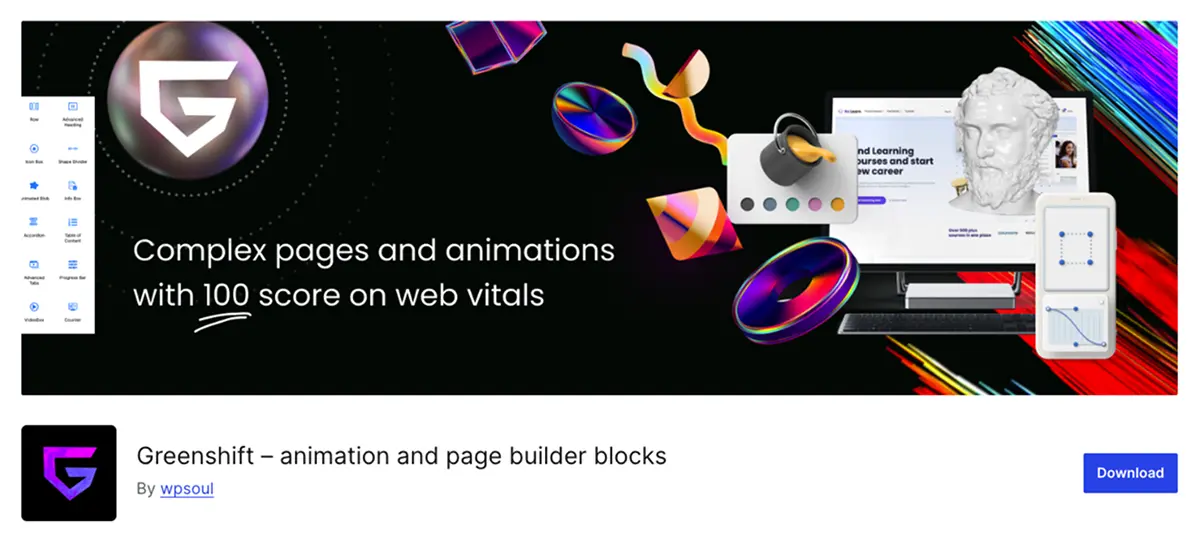
Greenshift is the only Gutenberg blocks plugin in this roundup that delivers GSAP-powered scroll animations, scroll triggers, timeline control, and a full visual interaction builder — natively, inside the block editor. If your site needs animations and motion effects beyond basic fade-ins, nothing else in this list comes close.
| Plugin | Greenshift |
| Rating | ⭐⭐⭐⭐⭐ (4.8/5) |
| Best For | Advanced users needing animations, scroll effects, interactions |
| Pricing | Free | Pro from $49/year or $99 lifetime (1 site) |
| Key Strength | GSAP integration — scroll-triggered animations no other plugin matches |
| Key Drawback | Steep learning curve — not the right pick for beginners or simple sites |
Why Greenshift for Animations
Most Gutenberg blocks plugins offer basic CSS animations — fade in, slide up, appear on scroll. These are cosmetic. Greenshift operates at a fundamentally different level.
Greenshift integrates GSAP (GreenSock Animation Platform) — the industry standard JavaScript animation library used by major production websites — directly inside the block editor. You get scroll triggers that fire on precise scroll positions, timeline-based animation sequences, parallax effects, pin-and-unpin controls, morphing, stagger animations, and an Interaction Layer that responds to clicks, hovers, and custom events.
This capability does not exist at this level of integration in any other Gutenberg plugin. Page builders like Elementor offer comparable animation features through add-ons — Greenshift brings it natively to Gutenberg.
The trade-off is complexity. Greenshift has a significant learning curve. The interface is powerful but dense. For simple sites or users unfamiliar with animation concepts, it’s overwhelming. Greenshift is the right tool for users who know what they want to build and need the technical layer to build it.
✅ What We Like
- GSAP-powered animations — industry-standard library, production-grade output
- Scroll triggers — animations fired at precise scroll positions, not just on-load
- Visual Interaction Builder — click, hover, custom event responses
- Timeline control — sequence animations with precision
- Parallax, pin-and-unpin, stagger, morphing — not available elsewhere in Gutenberg
- Active development — frequent updates, responsive developer
⚠️ What Could Be Better
- Steep learning curve — not suitable for beginners
- Dense UI — powerful but takes time to navigate confidently
- Smaller install base (40K+) — fewer tutorials and community resources than larger plugins
- Some advanced features require understanding of animation concepts
- Pro required for full GSAP access and advanced interaction controls
Pricing
| Plan | Sites | Price | Includes |
| Free | Unlimited | $0 | Core blocks + basic animations |
| Pro Single | 1 site | $49/year or $99 lifetime | Full GSAP, all animations, Interaction Layer |
| Pro Agency | Unlimited | $149/year or $249 lifetime | All Pro features, unlimited sites |
Verdict: The lifetime deal at $99 for a single site is strong value for what Greenshift delivers. If animation quality matters on your site, the cost is easily justified against what you’d spend on a separate animation plugin or page builder add-on.
👉 Visit Greenshift Website 👉 Download Free on WordPress.org
7. Starter Templates — Best for Premade Website Templates
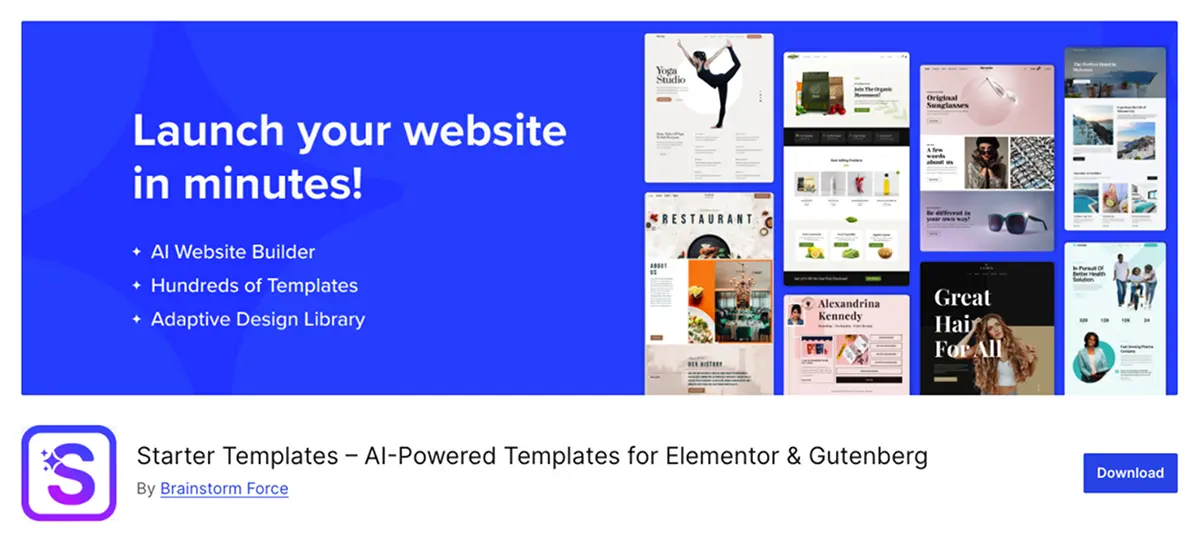
Starter Templates is not a blocks plugin — it’s the tool you use before choosing a blocks plugin. With 300+ complete, multi-page website templates importable in one click, and an AI website builder that generates a full site from your business description in under 2 minutes, it eliminates the blank-canvas problem for anyone starting a new WordPress site.
| Plugin | Starter Templates |
| Rating | ⭐⭐⭐⭐⭐ (4.9/5) |
| Best For | Anyone starting a new WordPress site from scratch |
| Pricing | Free (ZipWP account required) | Premium via Astra Essential Toolkit |
| Key Strength | 2M+ installs, 4.9/5 from 4,718 reviews — strongest satisfaction signal in roundup |
| Key Drawback | Requires ZipWP account; premium templates and higher AI limits need paid plan |
Why Starter Templates Before Your Blocks Plugin
Every other plugin in this roundup builds on top of a blank WordPress installation. Starter Templates gives you a professionally designed, fully populated website first — then you customize and extend it with whichever blocks plugin fits your workflow.
The plugin offers two distinct modes. The AI Website Builder asks for your business name, description, and color preferences, then generates a complete multi-page website — homepage, about, services, contact — with relevant copy and imagery in under two minutes. The Classic Templates library offers 300+ professionally designed, complete website templates across 30+ niches, importable in one click.
The numbers back this up: 2+ million active installs, 4.9/5 from 4,718 reviews, 5,000 sites built with it every day. The review satisfaction ratio — 4,605 five-star reviews out of 4,718 total — is the strongest in this entire roundup.
Starter Templates also includes an AI Assistant (ChatGPT-style writing tool inside WordPress), built-in Pexels and Unsplash image access, and 200+ sections and block patterns. It can be safely deactivated after import — it leaves no plugin dependency in your content.
✅ What We Like
- 2M+ installs, 4.9/5 from 4,718 reviews — strongest community signal in roundup
- 300+ complete multi-page templates across 30+ niches
- AI Website Builder — full site generated in under 2 minutes
- Works with Gutenberg, Elementor, and Spectra
- 200+ sections and block patterns for individual page areas
- AI Assistant, Pexels/Unsplash integration included
- Can be deactivated after import — no content lock-in
⚠️ What Could Be Better
- Requires free ZipWP account — extra registration step
- Premium templates and higher AI limits need paid plan
- Best with Astra theme — other themes can produce inconsistent imports
- AI content quality varies with prompt specificity
- WordPress 6.6+ required — most restrictive requirement in roundup
- AI generation uses ZipWP credits — limited on free tier
Pricing
Free tier: Core template library and AI builder accessible with a free ZipWP account.
| Plan | Sites | Price | Includes |
| Essential Toolkit | 1 site | $47/year | Starter Templates Pro + Astra Pro + Spectra Pro + SureForms |
| Essential Toolkit | Unlimited sites | $137/year | All above, unlimited sites |
Verdict: The Astra Essential Toolkit at $137/year for unlimited sites bundles four premium plugins. For agencies or freelancers building multiple client sites, it’s among the best value stacks in the WordPress ecosystem.
👉 Download Starter Templates Free on WordPress.org 👉 Visit Starter Templates Website
8. PostX — Best for News, Magazine & Blog Websites
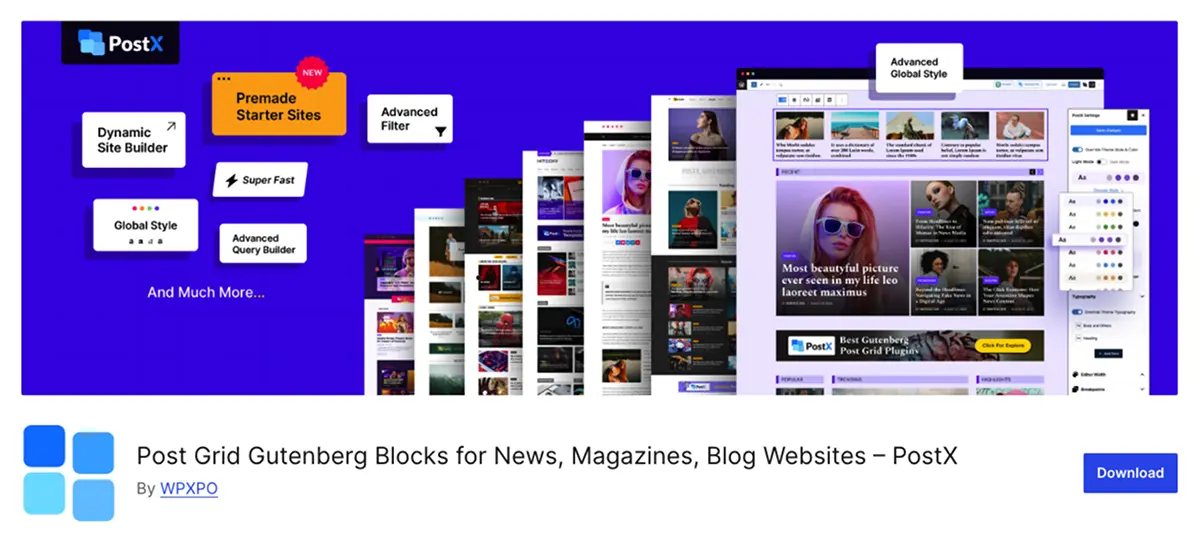
PostX is purpose-built for content-heavy WordPress sites. Its post query builder, breaking news ticker, front-end post submission, and dynamic archive templates serve use cases no general blocks plugin comes close to matching. If you’re running a news site, magazine, or high-volume blog, PostX belongs in your stack.
| Plugin | PostX |
| Rating | ⭐⭐⭐⭐⭐ (4.8/5) |
| Best For | News sites, magazines, blogs, content-heavy publishing sites |
| Pricing | Free | Pro from $49/year (1 site) |
| Key Strength | Post query builder + dynamic archive templates — built for content publishing |
| Key Drawback | Less relevant outside content-publishing use cases |
Why PostX for Content Publishing
Most Gutenberg blocks plugins include a basic post grid or post list block. PostX’s entire feature set is built around post display — and the difference in depth is significant.
The post query builder lets you filter, sort, and display posts by category, tag, author, date range, custom taxonomy, post type, and custom field values. You can build exactly the post grid or list you need, not just what a basic block allows. Dynamic archive templates let you design category, tag, author, and search result pages inside Gutenberg — features that previously required custom PHP templates.
PostX also includes a Breaking News Ticker (scrolling news headline bar), front-end post submission (users can submit posts from the front end without WordPress admin access), a full-page template builder, and advanced pagination options. These are publishing platform features, not general site-builder features.
✅ What We Like
- Post query builder — filter by category, tag, author, date, custom taxonomy, custom fields
- Dynamic archive templates — design category/tag/author/search pages in Gutenberg
- Breaking News Ticker — scrolling headline bar, no separate plugin needed
- Front-end post submission — users submit posts without WP admin access
- Full-page template builder — design any page type within Gutenberg
- Advanced pagination — load more, infinite scroll, numbered pagination
⚠️ What Could Be Better
- Feature set is publishing-specific — limited value for non-content sites
- 40K+ installs is smaller than Spectra/Kadence — fewer community tutorials
- Advanced features concentrated in Pro tier
- Template system has a learning curve for dynamic archive design
Pricing
| Plan | Sites | Price | Includes |
| Free | Unlimited | $0 | Core post blocks, basic query builder, post grid |
| Starter | 1 site | $49/year | All Pro blocks, dynamic archives, Breaking News Ticker |
| Agency | Unlimited | $149/year | All Pro features, unlimited sites |
Verdict: If you’re building a content-publishing site, PostX is the specialist tool with capabilities no general blocks plugin replicates. The free tier demonstrates the value clearly — test it before committing to Pro.
👉 Visit PostX Website 👉 Download Free on WordPress.org
9. WowStore — Best Gutenberg Blocks Plugin for WooCommerce
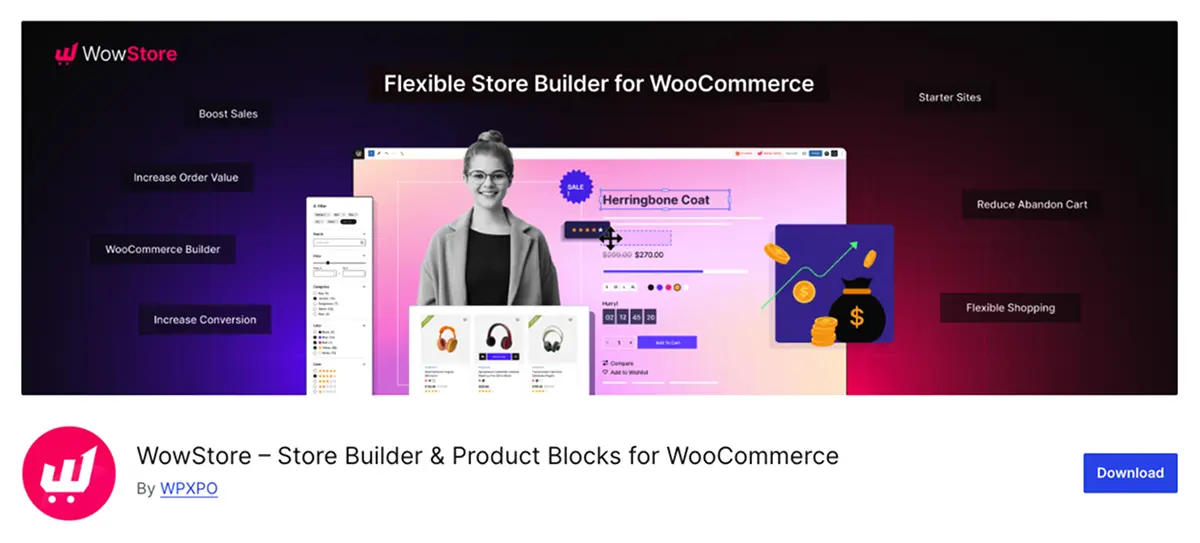
WowStore is the only plugin in this roundup that lets you design every page of the WooCommerce customer journey — shop, product, cart, checkout, thank you, my account — directly inside Gutenberg. If you’re running a WooCommerce store and want full design control without a separate page builder, WowStore is purpose-built for that job.
| Plugin | WowStore |
| Rating | ⭐⭐⭐⭐½ (4.5/5) |
| Best For | WooCommerce store owners wanting full design control in Gutenberg |
| Pricing | Free | Pro from $49/year (1 site) |
| Key Strength | Complete WooCommerce page builder — every store page designed in Gutenberg |
| Key Drawback | 5K+ installs is the smallest established plugin in the roundup — younger product |
Why WowStore for WooCommerce
General Gutenberg blocks plugins include basic WooCommerce product display blocks. WowStore’s feature set covers the entire WooCommerce design problem: not just product grids, but every customer-facing page in the store.
The full-page template builder covers Shop, Single Product, Cart, Checkout, My Account, and Thank You pages — all designable inside Gutenberg without a separate page builder or custom PHP. This is the core differentiator. Most plugins let you build a product grid. WowStore lets you design the checkout experience.
Additional features include variation swatches (colour/size/attribute display), quick view modals, wishlist functionality, a comparison table for products, a sales countdown timer, and sticky add-to-cart — conversion-focused features built specifically for eCommerce.
✅ What We Like
- Full WooCommerce page builder — Shop, Product, Cart, Checkout, My Account, Thank You pages
- Variation swatches — colour, size, attribute display without separate plugin
- Quick View, Wishlist, Comparison Table — conversion features included
- Sales countdown timer, sticky add-to-cart — built-in conversion tools
- Active development — frequent updates
⚠️ What Could Be Better
- 5K+ installs is smaller than established plugins — younger product, less community depth
- Advanced eCommerce features concentrated in Pro tier
- Less relevant if you’re not running WooCommerce
- Fewer third-party tutorials compared to larger plugins
Pricing
| Plan | Sites | Price | Includes |
| Free | Unlimited | $0 | Core WooCommerce blocks, basic product grid, shop page builder |
| Starter | 1 site | $49/year | Full page builder, all conversion features, priority support |
| Agency | Unlimited | $149/year | All Pro features, unlimited sites |
Verdict: For WooCommerce stores, WowStore solves a specific problem that no other plugin in this roundup addresses at this depth. The smaller install base reflects its focus and recency — not a quality issue. Test the free version on your store first.
👉 Visit WowStore Website 👉 Download Free on WordPress.org
10. RioVizual — Best Gutenberg Table Blocks Plugin
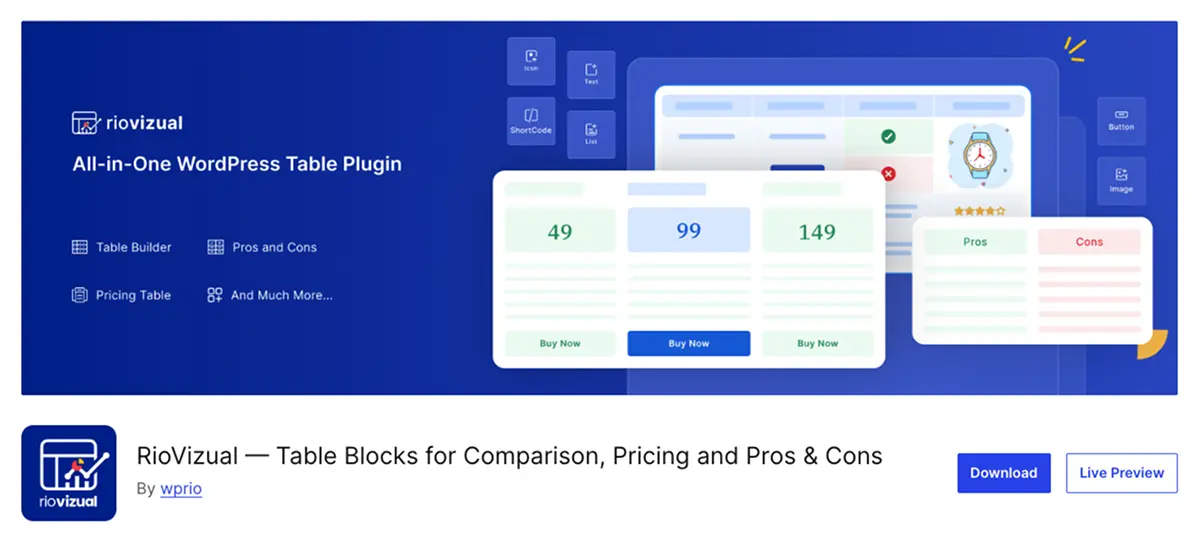
RioVizual is purpose-built for the three table content types that drive conversions in review and affiliate publishing: comparison tables, pricing tables, and pros & cons blocks. If your site publishes product reviews, buying guides, or roundup articles, no general blocks plugin matches RioVizual’s depth in these specific formats.
| Plugin | RioVizual |
| Rating | ⭐⭐⭐⭐☆ (4.3/5) |
| Best For | Review sites, affiliate publishers, buying guide creators |
| Pricing | Free | Pro from $39/year or $99 lifetime (1 site) |
| Key Strength | Three purpose-built table blocks with 50+ templates and schema markup |
| Key Drawback | 1K+ installs is the smallest in roundup — newer plugin, fewer community resources |
Why RioVizual for Table-Heavy Content
General Gutenberg blocks plugins have basic table blocks. RioVizual has three purpose-built blocks — Table Builder, Pricing Table, and Pros & Cons — each designed specifically for conversion-focused table content.
Table builder supports 12 content element types per cell — text, image, button, icon, list, star rating, dual button, and more. Cells support drag-and-drop element placement, merging and splitting, sticky row and column freezing, scrollable and stackable mobile modes, and right-click context menus for cell operations. 29 premade templates included.
Pricing table includes Pricing Toggle (switch billing periods), Dynamic Price Slider (variable pricing display), Featured Column support with background image, Ribbon settings, and icon/tooltip/badge support on feature rows. 25 premade templates. The kind of pricing table component SaaS sites use — inside Gutenberg.
In Pros & Cons table the standout feature: built-in Pros & Cons Schema markup. This structured data tells Google explicitly what the pros and cons of a reviewed product are — which can generate rich snippets in search results. No other plugin in this roundup includes Pros & Cons schema markup natively.
✅ What We Like
- Three purpose-built table blocks — Table Builder, Pricing Table, Pros & Cons
- 12 content elements per table cell — text, image, button, icon, star rating, more
- Cell merging, splitting, sticky headers — features built-in table blocks don’t have
- Pricing Toggle and Dynamic Price Slider — SaaS-grade pricing display
- Built-in Pros & Cons Schema markup — SEO advantage for review sites
- 50+ premade templates across all three blocks
- Works with Elementor, Divi, Bricks, Oxygen via shortcodes/widgets
- RTL language support
⚠️ What Could Be Better
- 1K+ installs — smallest in roundup, fewer tutorials and community resources
- Learning curve for complex table configurations
- No CSV/spreadsheet data import (planned but not yet available)
- No language translations listed
- Data table and product table features still in development
- Newer plugin (2023) — shorter track record than established options
Pricing
| Plan | Sites | Price | Includes |
| Free | Unlimited | $0 | Core blocks, basic templates, table builder |
| Pro Single | 1 site | $39/year or $99 lifetime | All Pro blocks, full templates, schema markup, priority support |
| Pro Multi | 5 sites | $79/year or $199 lifetime | All Pro features |
| Pro Agency | Unlimited | $149/year or $299 lifetime | All Pro features, unlimited sites |
Verdict: For WPExposure-style content — product reviews, comparison roundups, buying guides — RioVizual addresses a specific gap that no general blocks plugin fills at this depth. The $99 lifetime for a single site is the most accessible entry point for the table-building capability it provides.
👉 Download RioVizual Free on WordPress.org 👉 Visit RioVizual Website
Buying Guide — How to Choose the Right Gutenberg Blocks Plugin
Match the plugin to your use case first. Then evaluate technical level, pricing, and performance. Installing the wrong plugin because it has the most features or installs is the most common mistake.
1. Start With Your Use Case
Your primary site type determines the right plugin. General sites need a general plugin. Specialist sites need a specialist tool.
- General WordPress site (business, portfolio, landing pages): Spectra is the default. Kadence if design precision matters. GenerateBlocks if performance is the priority.
- News, magazine, or content-heavy blog: PostX — purpose-built, no general plugin matches its post display depth.
- WooCommerce store: WowStore — the only plugin in this roundup that covers the full customer journey.
- Review or affiliate site with comparison tables: RioVizual — three purpose-built table blocks with schema markup.
- New site starting from scratch: Starter Templates first — get a professional design in under 2 minutes, then choose a blocks plugin on top.
2. Match the Plugin to Your Technical Level
Overpowered tools create friction. Underpowered tools create workarounds. Match complexity to your actual skill level.
- Beginners: Essential Blocks or Spectra — accessible UI, strong templates, excellent support.
- Intermediate users: Kadence Blocks — powerful but well-organized, design-system approach without being overwhelming.
- Developers and performance builders: GenerateBlocks — deliberately minimal, integrates cleanly with custom theme development.
- Advanced users building animated experiences: Greenshift — GSAP integration, scroll triggers, not available anywhere else in Gutenberg at this level.
3. Evaluate the Free vs. Pro Trade-Off
Not all freemium models are equal. Check what’s actually gated before installing.
- CoBlocks: 100% free. No Pro version. No feature gates. The honest choice when budget is a hard constraint.
- GenerateBlocks & Spectra: Genuinely useful free tiers. Pro adds meaningful advanced features — not basic functionality gates.
- Greenshift, PostX, WowStore: Free versions demonstrate value, but significant depth sits behind paid plans. Know which features you need before installing.
- Starter Templates: Requires a free ZipWP account. Premium templates and higher AI usage limits need a paid plan. Factor in the account requirement.
4. Think About Long-Term Maintenance
Every blocks plugin creates content dependency. Established teams carry less long-term risk.
Plugins backed by established, well-funded teams carry less long-term risk. Brainstorm Force (Spectra, Starter Templates) and WPDeveloper (Essential Blocks, WowStore) are among the most established plugin companies in WordPress. Kadence has a strong track record. GoDaddy behind CoBlocks removes virtually all viability risk.
Greenshift, PostX, and RioVizual are newer or smaller. That does not mean avoiding them — it means checking development activity, changelog frequency, and support responsiveness before building a production site on them. All three have active changelogs at time of writing.
5. Performance Impact
GenerateBlocks is the clear performance leader. Spectra and Kadence benchmark well. All plugins in this roundup use conditional asset loading.
GenerateBlocks loads only the assets for its four blocks, conditionally, only on pages where they appear. Spectra and Kadence use similar conditional loading and perform well on speed benchmarks. On managed hosting with caching and CDN, performance differences between most plugins in this roundup are marginal in practice.
If you’re on budget shared hosting or your site has strict performance requirements, evaluate GenerateBlocks first.
6. Install Only What You Need
The most common mistake: installing multiple overlapping blocks plugins. One general plugin plus one specialist tool is enough for most sites.
Each additional blocks plugin adds assets, potential conflicts, and maintenance overhead. Identify your primary use case, pick the specialist tool for it, and only add additional plugins when a specific need isn’t met by your primary choice.
Frequently Asked Questions
These are the most common questions from the keyword research behind this article — answered directly.
What is a Gutenberg blocks plugin?
Gutenberg is WordPress’s built-in block editor. It ships with basic content blocks — paragraphs, headings, images. A Gutenberg blocks plugin extends this with additional block types: pricing tables, animations, post grids, sliders, testimonials, and more — all managed inside the native WordPress editor without a separate page builder.
Do I need a Gutenberg blocks plugin if WordPress already has the block editor?
For basic blog posts and simple pages: no. For professional sites with pricing tables, custom layouts, animations, post grids, or advanced content types: yes. A blocks plugin fills the gap without requiring a separate page builder like Elementor or Divi.
Is Gutenberg better than Elementor or Divi?
It depends on your workflow. Gutenberg is WordPress-native — cleaner output, lower page weight, tighter integration with WordPress core. Elementor and Divi offer more mature drag-and-drop interfaces and historically broader template ecosystems. Most new professional WordPress builds in 2025 trend Gutenberg-first, especially for performance-critical sites.
Can I use multiple Gutenberg blocks plugins at the same time?
Technically yes, but it’s not recommended. Each plugin adds assets, potential conflicts, and maintenance overhead. One general blocks plugin plus one specialist tool (tables, animations, WooCommerce) covers most sites without the overhead of multiple overlapping plugins.
Which Gutenberg blocks plugin is best for beginners?
Essential Blocks is the strongest choice — organized block library, large template collection, and consistently outstanding support. Spectra is a close second with a similarly accessible UI and the backing of Brainstorm Force’s established ecosystem.
Which Gutenberg blocks plugin is best for performance?
GenerateBlocks — built specifically to minimize page weight. Four lean blocks, conditional asset loading, clean semantic output. If Core Web Vitals scores matter, evaluate GenerateBlocks first.
Are Gutenberg blocks plugins compatible with all WordPress themes?
Most are. All 10 plugins in this roundup are designed to work with any well-coded WordPress theme. Some work best with specific pairings — Spectra with Astra, GenerateBlocks with GeneratePress — but none are theme-locked. Always test on staging before deploying to production.
What is the difference between a blocks plugin and a page builder?
A blocks plugin extends the native Gutenberg editor with additional block types. You build inside WordPress. A page builder like Elementor replaces the default editor with its own interface and rendering system. Blocks plugins produce lighter-weight output and align with WordPress’s core development direction. Page builders offer more mature visual drag-and-drop, but at the cost of page weight and external dependency.
Is Kadence Blocks free?
Yes — Kadence Blocks has a strong free version with core blocks, typography controls, and basic templates. Pro adds Kadence AI, advanced grid controls, and additional blocks from $79/year per site.
Do Gutenberg blocks plugins slow down my website?
A well-built plugin with conditional asset loading adds minimal page weight. All 10 plugins in this roundup claim conditional loading. In practice, impact varies by plugin and usage. GenerateBlocks benchmarks lowest. For performance-critical sites, test with a tool like GTmetrix or PageSpeed Insights after installing.
Which plugin is best for affiliate sites and review blogs?
RioVizual for comparison tables, pricing tables, and pros/cons blocks — the specific content formats that drive conversions in affiliate publishing. Add Spectra or Essential Blocks for general site structure. PostX if you also publish content at high volume and need dynamic post display.
Is there a completely free Gutenberg blocks plugin with no paid tier?
Yes — CoBlocks. 100% free, no Pro version, no feature gates. Maintained by GoDaddy. Covers the most common content block use cases cleanly and reliably at zero cost.
What is Starter Templates and is it different from a blocks plugin?
Yes — Starter Templates is not a blocks plugin. It’s a website starter kit: 300+ complete multi-page templates importable in one click, plus an AI website builder that generates a full site from your business description in under 2 minutes. Use it to get your site design in place first, then choose a blocks plugin on top.
What happened to Ultimate Addons for Gutenberg (UAG)?
UAG was rebranded to Spectra. It’s the same plugin from the same developer (Brainstorm Force) under its current name. If you’ve seen UAG recommended elsewhere, Spectra is the product to install.
What happened to Genesis Blocks?
CoBlocks absorbed Genesis Blocks following GoDaddy’s acquisition of the Genesis ecosystem. If you previously used Genesis Blocks, CoBlocks is its direct successor.
Conclusion
Spectra is the right starting point for most WordPress users. For specific use cases, the specialist tools in this list outperform any general option. Pick the right tool for the job — not the one with the most features or the highest install count.
The Gutenberg block editor is ready for professional site building in 2025. You don’t need a separate page builder. You need the right blocks plugin for your specific use case — and this list covers every major one.
Quick Reference — Final Verdicts
- Spectra: Best overall — widest coverage, full site toolkit, 1M+ installs, Brainstorm Force backing
- Essential Blocks: Best for beginners — accessible, excellent support, lifetime deal available
- CoBlocks: Best free option — 100% free, no upsells, GoDaddy-backed longevity
- Kadence Blocks: Best design control — typography depth, configurable defaults, design-system approach
- GenerateBlocks: Best performance — 4 lean blocks, minimal footprint, 4.9/5 rating
- Greenshift: Best animations — GSAP-powered, scroll triggers, nothing else compares in Gutenberg
- Starter Templates: Best for new sites — 300+ templates, AI builder, use this before everything else
- PostX: Best for content publishing — post query builder, dynamic archives, breaking news
- WowStore: Best for WooCommerce — full store page builder, every customer journey page
- RioVizual: Best table blocks — comparison tables, pricing tables, pros/cons with schema markup
Three things worth keeping in mind as you decide:
Install counts reflect history, not current quality. Several newer plugins in this roundup — Greenshift, PostX, RioVizual — deliver capabilities older, more established plugins cannot match.
Test before you commit. Every plugin in this roundup has a free version. Install on staging, test the blocks you’ll actually use, then build on top of it.
One plugin is usually enough. One general-purpose blocks plugin plus one specialist tool covers the vast majority of real-world WordPress sites. Resist the temptation to install more.
All plugin data — install counts, ratings, pricing, and features — was verified at time of writing. WordPress plugin pricing and features change. Always check the official plugin page before making a purchase decision.